
You applied for a job. You never heard back. You assumed you were not qualified enough.
But here is the truth: your resume may never have been read by a human at all.
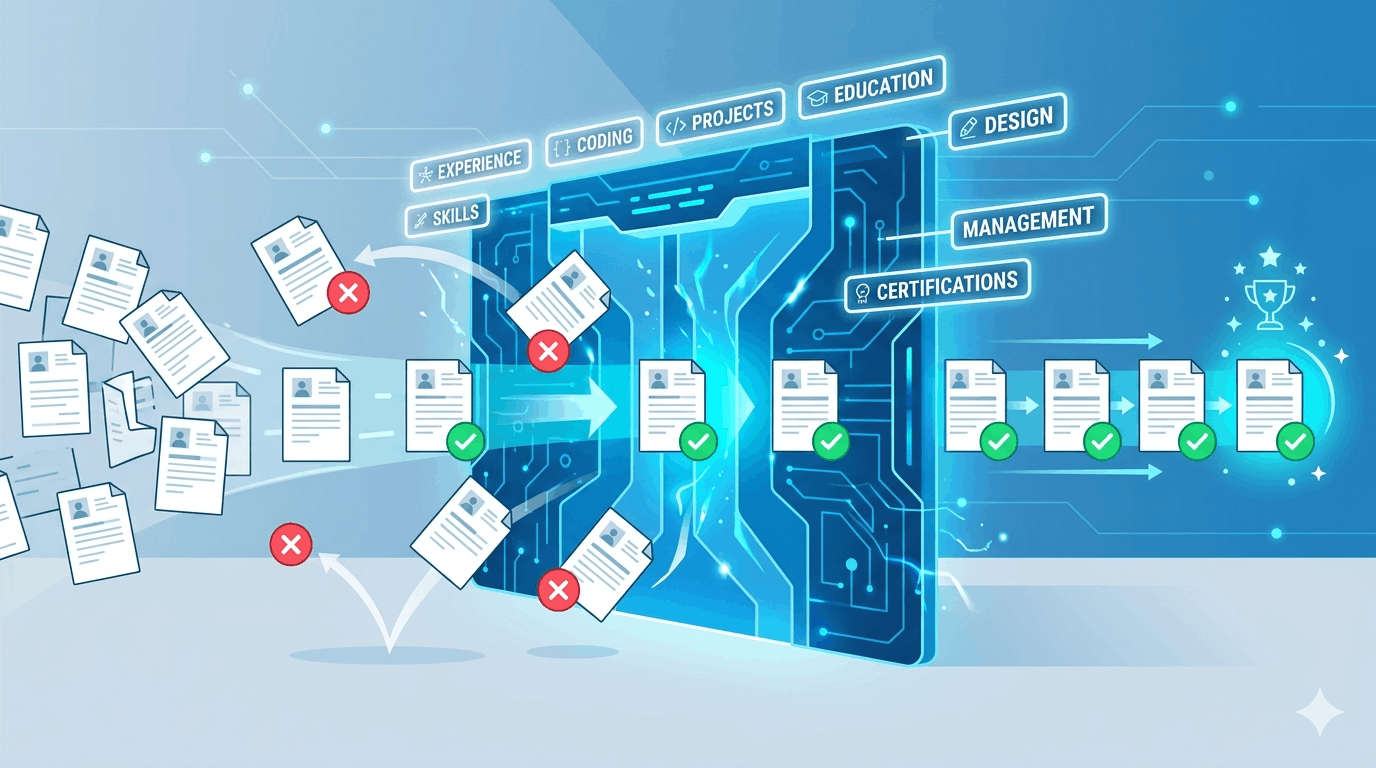
Most mid-size and large companies today use software called an Applicant Tracking System (ATS) to manage job applications. Before a recruiter ever opens your file, an algorithm has already scanned it, scored it, and — in many cases — rejected it automatically.
Understanding how ATS works is one of the most important things a job seeker can do today. This guide explains exactly what it is, why it filters people out, and what you can do to make sure your resume gets through.
What Is an ATS?
An Applicant Tracking System is software that companies use to collect, organize, and filter job applications at scale. When you apply for a job online — through a company’s careers page, LinkedIn, Indeed, or any other platform — your resume almost always goes into an ATS first.
The system does several things automatically:
- Parses your resume — extracts your contact details, work history, education, and skills into a structured database
- Scans for keywords — compares your resume against the job description to find matching terms
- Scores your application — ranks you against other candidates based on how well your resume matches
- Filters low-scoring resumes — removes applications that fall below a certain threshold before a recruiter sees them
ATS software is used by an estimated 98% of Fortune 500 companies and the majority of companies with more than 50 employees. If you are applying for jobs at any company of meaningful size, you are almost certainly going through an ATS.
Why ATS Rejects Qualified Candidates
This is the part that frustrates most job seekers. The ATS does not assess whether you are actually capable of doing the job. It only checks whether your resume contains the right words.
That means a highly qualified candidate with a poorly formatted or keyword-mismatched resume will be filtered out — while a less qualified candidate whose resume happens to use the right terminology may sail through.
Common reasons ATS rejects resumes:
- Missing keywords — your resume does not use the same language as the job description
- Formatting issues — tables, columns, graphics, or unusual fonts that the parser cannot read
- Non-standard section headings — “Professional Journey” instead of “Work Experience”
- Saved in the wrong file format — some ATS systems struggle with certain PDF types
- Skills buried too deep — relevant experience exists but appears too late in the document to be weighted properly
The system is not personal. It is a blunt instrument designed to reduce thousands of applications to a manageable shortlist. Your job is to make sure you are not incorrectly filtered out.
How ATS Scoring Works
Different ATS platforms (Workday, Greenhouse, Lever, iCIMS, Taleo, and others) use different algorithms, but most scoring systems work on similar principles:
Keyword Matching
The system identifies keywords in the job description — skills, tools, qualifications, job titles — and checks whether they appear in your resume. Exact matches typically score higher than synonyms. If the job says “project management” and your resume says “project coordination”, that may not register as a match.
Frequency and Placement
Keywords that appear multiple times and in prominent positions (near the top of the resume, in your summary or skills section) tend to carry more weight than keywords buried deep in a bullet point from five years ago.
Required vs. Preferred
Most job descriptions distinguish between required qualifications and preferred ones. ATS systems are often configured to weight required qualifications more heavily. Missing a required keyword is a much bigger problem than missing a preferred one.
Section Recognition
The ATS needs to correctly identify which section of your resume contains which information. If it cannot tell the difference between your work experience and your education, it may misattribute or ignore information entirely.
How to Beat ATS: 7 Practical Steps
1. Use the Exact Keywords from the Job Description
Do not paraphrase. If the job description says “stakeholder management”, write “stakeholder management” — not “managing stakeholders” or “stakeholder communication”. ATS systems match text literally.
Read the job description carefully, identify every skill, tool, qualification, and responsibility mentioned, and make sure the ones that apply to you appear verbatim in your resume.
2. Use a Clean, Single-Column Layout
Multi-column layouts, text boxes, tables, headers, and footers are common ATS killers. The parser reads your resume left to right, top to bottom, like a single stream of text. Anything that interrupts that flow — a sidebar, a two-column skill list, a decorative border — risks being misread or skipped entirely.
Use a simple, single-column format. Save design-heavy resumes for situations where you know a human will be reviewing them directly.
3. Use Standard Section Headings
ATS systems are trained to recognize standard headings. Stick to:
- Work Experience (not “My Career” or “Professional Journey”)
- Education (not “Academic Background”)
- Skills (not “What I Bring” or “Core Competencies”)
- Certifications or Licenses
Creative headings may feel distinctive, but they confuse parsers and risk your information being filed under the wrong category — or ignored completely.
4. Put Keywords in Context, Not Just in a List
Listing keywords in a skills section is a good start, but ATS systems — and the recruiters who review shortlisted resumes — give more weight to keywords that appear in context within your work experience.
Instead of just listing “data analysis” in your skills, write a bullet point like: “Conducted data analysis across three product lines to identify revenue trends, resulting in a 12% reduction in churn.” This satisfies the ATS and is far more compelling to a human reader.
5. Include Both the Spelled-Out Version and the Acronym
ATS systems do not always recognize that “Search Engine Optimization” and “SEO” are the same thing. When relevant, include both forms: “Search Engine Optimization (SEO)”. This covers you regardless of which version the system is scanning for.
6. Save in the Right File Format
Most ATS systems handle .docx files most reliably. PDFs are increasingly well-supported, but some older systems still struggle with them — particularly PDFs created from scanned documents or design tools.
Check the job posting for instructions. If none are given, .docx is the safer default.
7. Tailor Your Resume for Each Application
A single master resume will never score well across all job descriptions. Each role uses slightly different language, emphasizes different skills, and has different requirements. Tailoring your resume — even just your summary and a few bullet points — for each application meaningfully improves your ATS score.
What ATS Cannot Replace
ATS systems are powerful filters, but they are not the final word. Once your resume clears the ATS, a human recruiter reviews it. That means two things:
- Keyword stuffing does not work long-term. Cramming keywords into your resume without context may fool the ATS but will immediately flag to a recruiter that something is off.
- Clarity and impact still matter. A resume that passes ATS but is vague, cluttered, or hard to read will not advance further.
The goal is a resume that satisfies both: structured and keyword-rich enough to clear the ATS, and clear and compelling enough to impress the human who reads it next.
How CVjustify Handles ATS Automatically
Manually optimizing a resume for ATS takes time — reading the job description closely, identifying keywords, rewriting bullet points, checking formatting, and repeating this for every application.
CVjustify automates the process. Paste in a job description, upload your resume, and the tool identifies missing keywords, rewrites your content to match the job’s language, and flags any formatting issues that could cause ATS problems — in under a minute.
It does not invent experience you do not have. It makes sure the experience you do have is communicated in a way that ATS systems — and recruiters — can actually find.
Frequently Asked Questions
Does every company use ATS?
Most companies with more than 50 employees use some form of ATS. Smaller companies and startups may review resumes manually, but applying ATS best practices never hurts — a well-structured, keyword-rich resume is easier for humans to read too.
Can ATS read PDF resumes?
Most modern ATS systems can read standard PDFs. However, PDFs created in design tools (like Canva or Adobe InDesign) or from scanned documents may not parse correctly. A Word (.docx) file is the safest option if you are unsure.
Does ATS look at cover letters?
Some ATS systems parse cover letters, others store them without scanning. It is safest to assume your cover letter will be read by a human and tailor it accordingly — but do not rely on it to compensate for a poorly optimized resume.
What is the best ATS-friendly resume format?
A clean, single-column layout in a standard font (Arial, Calibri, or similar), with clear section headings, no graphics or tables, saved as .docx or .pdf. Simple is better.
How do I know if my resume passed ATS?
You generally cannot know for certain. But if you are applying to roles you are clearly qualified for and consistently hearing nothing back, your resume likely has an ATS problem — either missing keywords or a formatting issue. Tools like CVjustify can identify both.